Follow-up is inconsistent
Leads come in from forms, calls, ads, and referrals, but the next step depends on who saw the notification first.
We connect your website, CRM, forms, calendars, AI tools, and follow-up systems so fewer leads slip through the cracks and your team spends less time doing repetitive admin work.
Overview
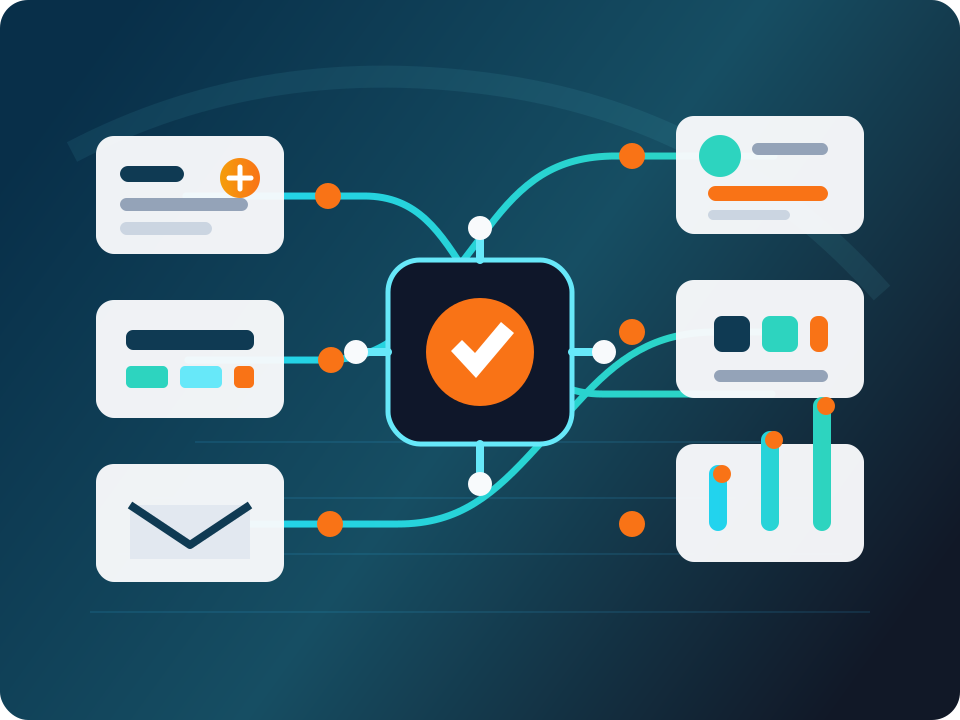
Most local businesses do not need a flashy automation lab. They need dependable systems that capture leads, route information, send follow-up, update the CRM, and tell someone when something needs attention.
We build business automation systems that are practical enough for your team to understand and reliable enough to run behind the scenes without randomly breaking.
The Pain
The problem is rarely one tool. It is the handoff between tools, people, and follow-up steps.
Leads come in from forms, calls, ads, and referrals, but the next step depends on who saw the notification first.
Forms, calendars, CRM records, email, SMS, spreadsheets, and vendor systems all hold pieces of the same customer story.
Staff copy data, update pipeline stages, send reminders, request reviews, and build reports by hand.
When a workflow fails, owners need visibility: what ran, what broke, what was retried, and who needs to step in.
What We Build
We focus on workflows that save time, protect leads, and make the business easier to run.
Send new website, ad, phone, and form leads to the right pipeline, person, calendar, or notification channel.
Reply quickly when a call is missed so the lead knows someone is paying attention.
Reduce no-shows with practical SMS and email reminders tied to the calendar.
Ask happy customers for reviews at the right time without making your team remember manually.
Create internal lead summaries, first-draft replies, or routing notes while keeping humans in control.
Keep pipeline stages, tags, tasks, notes, and follow-up steps cleaner without repetitive admin.
Connect tools that do not natively talk to each other, including webhook handling and data mapping.
Summarize new leads, stalled opportunities, completed jobs, or system activity for the owner or manager.
Pause workflows for review when a decision should not be fully automated.
How The Stack Works
Clients should not have to care about every technical detail. The important part is that the front-end marketing system is easy to use, and the backend integration layer is stable enough to trust.
GHL is the client-facing layer for CRM records, pipelines, calendars, SMS and email follow-up, reputation requests, basic automation, and customer communication.
Azure cloud services provide the backend reliability layer for API connections, webhook handling, routing, transformations, scheduled jobs, logging, error handling, and vendor integrations. Depending on the job, that may include Logic Apps, Functions, storage, queues, or other Azure tools.
Tool Choice
Zapier, Make, and n8n can be useful tools. They are often great for quick prototypes, small internal tasks, and simple connections. The issue is that client-facing systems usually need more than a chain of quick zaps.
When leads, appointments, reviews, reporting, and vendor data are involved, you need ownership, logging, security, error handling, and long-term maintainability. We choose the tool based on the job, not because one platform is the whole offer.
FAQ
We build practical workflows for lead capture, routing, missed-call text-back, appointment reminders, review requests, CRM updates, reporting, vendor integrations, and daily operational digests.
Yes. GoHighLevel is often the client-facing marketing automation layer for CRM, pipelines, calendars, SMS and email follow-up, review requests, and basic automation.
Zapier and n8n can be great for quick prototypes or simple workflows. Client-facing systems often need stronger logging, ownership, security, error handling, scheduled jobs, and long-term maintainability. Depending on the workflow, we may use Azure Logic Apps, Azure Functions, or other Azure cloud services as the backend layer.
Yes, when it helps. AI can summarize leads, draft responses, classify inquiries, prepare internal notes, or help route requests. We keep it grounded in business workflow instead of adding AI for show.
No. Local businesses often benefit the most because a few cleaner handoffs can save hours every week and prevent missed leads. The system should fit the size of the business.
Yes. Rainman Consulting is based in Chandler and works with local businesses across the East Valley and Phoenix metro, as well as remote clients.
We’ll find the manual work your team should not be doing anymore and show you where reliable automation can help.